The Alt+F4 Prank: What Are "Freaker Mod" and "Freecam"?

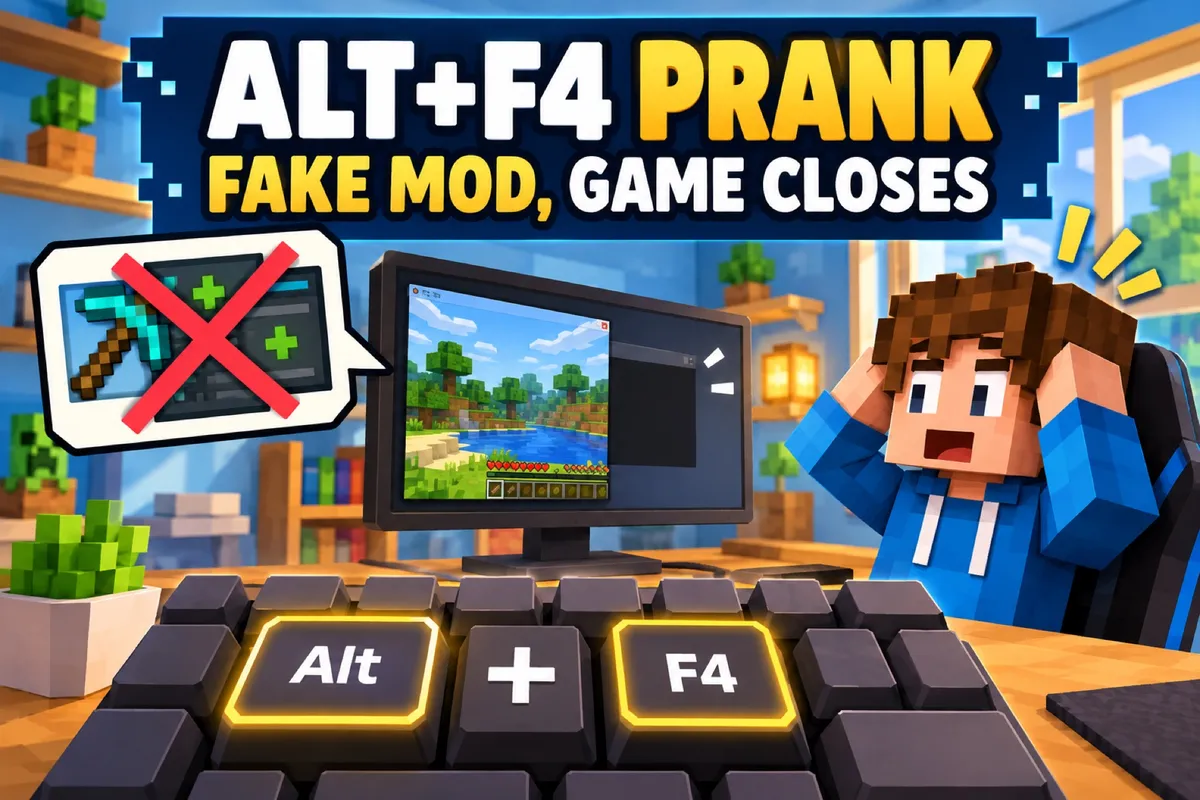
If your child laughs while telling you that someone got “pranked with Alt+F4” again, or talks about a mysterious “Freaker Mod”, this isn’t about viruses or hackers – it’s about a very particular internet joke. In the German gaming and Minecraft scene, the Alt+F4 prank is practically part of the standard repertoire. Especially in YouTube Shorts, you keep seeing streamers and YouTubers use it to fool each other or their viewers. (The clips in this article come from German creators, so the videos are in German.)
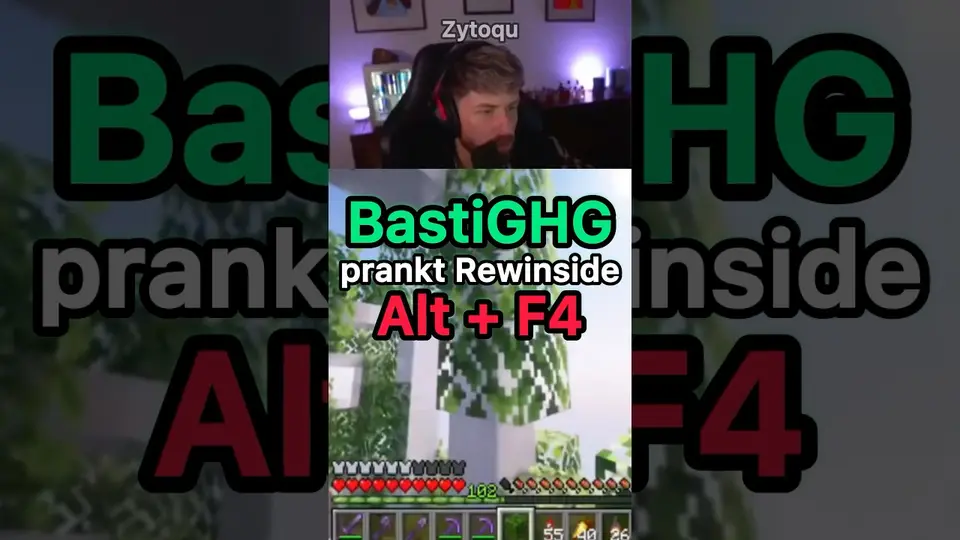
This article explains in plain terms what’s behind the Alt+F4 prank, why phrases like “activate the Freaker Mod” or “activate Freecam” come up – and where the fun stops, because it can be genuinely annoying for others.
What does Alt+F4 actually do?
Alt+F4 is a perfectly ordinary keyboard shortcut on Windows PCs. There’s nothing magical about it; it simply does this:
Alt + F4 closes the current program or window.
- Press Alt+F4 in a game → the game closes.
- Press Alt+F4 in a browser → the browser or the current tab (depending on the system) closes.
- Press Alt+F4 in a word processor without saving → in the worst case, unsaved content is lost.
On its own, then, Alt+F4 is just a handy shortcut for the “X” in the top-right corner of the window. On a Mac, Cmd+Q does the same job; consoles and phones have no comparable shortcut – so the prank almost only catches players on Windows PCs. The “prank” is that other people pretend Alt+F4 is a secret trick, mod or command – and the victim believes it.
How does the Alt+F4 prank work?
The classic version goes roughly like this:
- Someone (often a friend, fellow player or streamer) claims:
- “Press Alt+F4 and you’ll get…”
- “That activates the Freaker Mod!”
- “That’s how you unlock Freecam!”
- The victim thinks: Cool, a secret trick! – and presses Alt+F4.
- The game or program closes without a word.
- On a livestream, you’ll often see the surprised or annoyed reaction.
- In multiplayer sessions, the person simply drops out of the game.
The joke for everyone else: they know nothing special is going to happen – and they wait for exactly the moment when the victim realizes they’ve been tricked.
What does this have to do with “activate the Freaker Mod” or “activate Freecam”?
In the German-speaking YouTube and Minecraft world, a little vocabulary of its own has grown up around the Alt+F4 prank. Phrases like:
- “Activate the Freaker Mod” (German: „Freaker-Mod aktivieren“)
- “Activate Freecam” (German: „Freecam aktivieren“)
- “Unlock the secret mod” (German: „Geheime Mod freischalten“)
are popular as “bait”. The idea behind it:
It sounds technical, exciting and exclusive – exactly how you’d imagine a secret pro-gamer trick.
In Minecraft especially, “Freecam” is actually a real term from mods and clients that offer a free camera so you can look at the world from outside. Lots of kids have heard of it – so when someone says “Yeah, press Alt+F4 and you’ll have Freecam”, it sounds halfway believable.
What is real Freecam?
- Freecam mod: For Java Edition, there’s a mod called “Freecam” that detaches the camera from your character. On the mod platform Modrinth alone, it has been downloaded more than 22 million times (as of October 2026); it runs on Fabric, Forge and NeoForge and supports the current version 26.3.
- Often banned on servers: Because Freecam lets you look around corners and, depending on the settings, through walls to spy on other players’ bases, many multiplayer servers treat it as an unfair advantage – much like other cheats. Using it there risks a ban.
- Without a mod: The closest thing is Spectator mode, in which you fly invisibly through the world. In your own worlds with cheats enabled, you can switch it on with the command
/gamemode spectator.
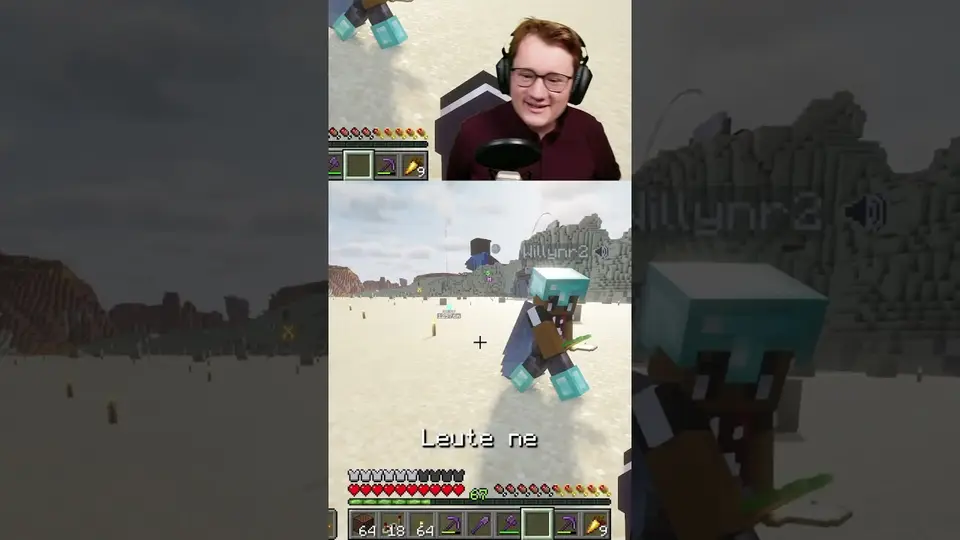
In YouTube Shorts you often see scenes where well-known creators give their friends or viewers this “tip” – and then the chat laughs when everything simply closes and the person is completely confused for a moment.
Why do kids and teens find the Alt+F4 prank funny?
From the kids’ point of view, the Alt+F4 prank is above all one thing: harmless schadenfreude. A few typical reasons why it works so well:
- Surprise effect: You expect a performance boost or a secret feature and get the exact opposite.
- Insider feeling: If you know the prank, you’re “in on it” and can test others with it.
- Idols do it too: Many streamers use the prank in their videos. When familiar faces laugh, the gag automatically seems “cool”.
- No technical background needed: You don’t need to know anything about PCs – all it takes is believing a tip.
To outsiders it sometimes looks silly, but for kids it’s a typical in-scene joke – much like the old “Press Alt+F4 and you’ll become admin” talk back in the days of LAN parties.
Where’s the line between harmless and mean?
As funny as the Alt+F4 prank can seem in a short video – in everyday life it can also be really annoying or even cause problems. What matters is the context and the consequences:
It’s fairly harmless when:
- someone briefly drops out of a game but doesn’t lose anything important,
- everyone involved knows each other well and can laugh about it together afterwards,
- it’s clear that this was a one-off bit of fun and not ongoing harassment.
It becomes a problem when:
- unsaved data is lost (e.g. schoolwork, presentations, building projects),
- the prank keeps targeting the same person, who already seems annoyed or embarrassed,
- kids don’t dare say “no” because they want to fit in,
- the prank is combined with insults, mockery or public humiliation (“How dumb are you?”).
Then it’s no longer just a little joke – it can start heading toward bullying, especially when clips of it get shared.
Tips for parents: How can you deal with it?
You don’t need to know every keyboard shortcut to support your child well. A few basic points matter:
1. Ask instead of brushing it off
If your child shows you an Alt+F4 video or talks about “activating the Freaker Mod”, you can ask:
- “What exactly happens there?”
- “Do you think that’s more funny or more mean?”
- “Has that happened to you too?”
That gives you a feel for how your child sees this kind of humor.
2. Talk about boundaries
Explain to your child that jokes are okay as long as everyone can laugh in the end – but:
- Deliberately destroying other people’s work, homework or important projects isn’t fun.
- If someone clearly says “No, I don’t want that”, it has to be respected.
3. Build up tech knowledge
The more your child knows about the basics of PCs & keyboard shortcuts, the harder it is to fool them with tricks like this. For example, you can go through together:
- Which keyboard shortcuts are useful (saving, switching windows, taking a screenshot)?
- What are typical “troll” tips you should be skeptical of?
4. Talk about protecting yourself online
The Alt+F4 prank is a good opportunity to talk more generally about “Don’t believe everything someone says in chat”. That also helps later with links, downloads and dubious promises (“free skins”, “free coins”, “hacks”).
Tips for kids & teens: How to stay relaxed
If you’re a gamer reading this:
- Don’t believe every “secret trick” – especially not if it’s just a keyboard shortcut you don’t know.
- If in doubt, ask: “What exactly does that do?” – If all you get back is laughter, be careful.
- Don’t pull the prank on everyone: Once on a friend who gets the joke – okay. Embarrassing someone over and over – not so cool.
- Learn the basics of your platform: The better you know how your PC/game works, the less people can mess with you.
- If you fell for it anyway: Just restart Minecraft and rejoin the server. Usually nothing is broken – and now you know the trick.
Conclusion: The Alt+F4 prank – a running gag with something to learn
The Alt+F4 prank, whether it’s dressed up as “activate the Freaker Mod” or “activate Freecam”, is a typical insider joke of the gaming and YouTube scene. It shows nicely how humor, technology and group dynamics fit together in everyday digital life.
For parents, it’s a good chance to get talking with their kids – about fairness, the limits of humor and how to handle technology. For kids and teens, it’s a reminder: laughing, yes – but please not at the expense of others who have nothing left to laugh about because their work is gone or they feel humiliated.
Seen in the right light, the Alt+F4 prank is less a dangerous phenomenon and more an occasion to strengthen media literacy and mutual respect when gaming. Where pranks tip over into trolling and griefing is covered in separate articles; more terms are in Minecraft Terms Explained.
Frequently asked questions
What happens when you press Alt+F4?
On Windows, Alt+F4 instantly closes the active program or window. In a game like Minecraft, the game shuts down; on a server, you drop out of the round. The key combination doesn’t unlock any secret trick or mod.
What is the “Freaker Mod”?
There’s no such thing as a “Freaker Mod”. The term is bait for the Alt+F4 prank: someone claims that Alt+F4 activates a secret mod. Whoever presses the keys is really just closing their own game.
Does Freecam really exist in Minecraft?
Yes, but not via Alt+F4. Freecam is a mod for Java Edition that lets you move the camera freely, detached from your character. Many servers ban it because it can be used to spy on other players’ bases. Without a mod, Spectator mode comes closest.
Does the Alt+F4 prank work on Mac, console or mobile?
No, Alt+F4 is a Windows shortcut. On a Mac, Cmd+Q closes a program; consoles and phones have no comparable shortcut. So the prank almost only catches players on Windows PCs.